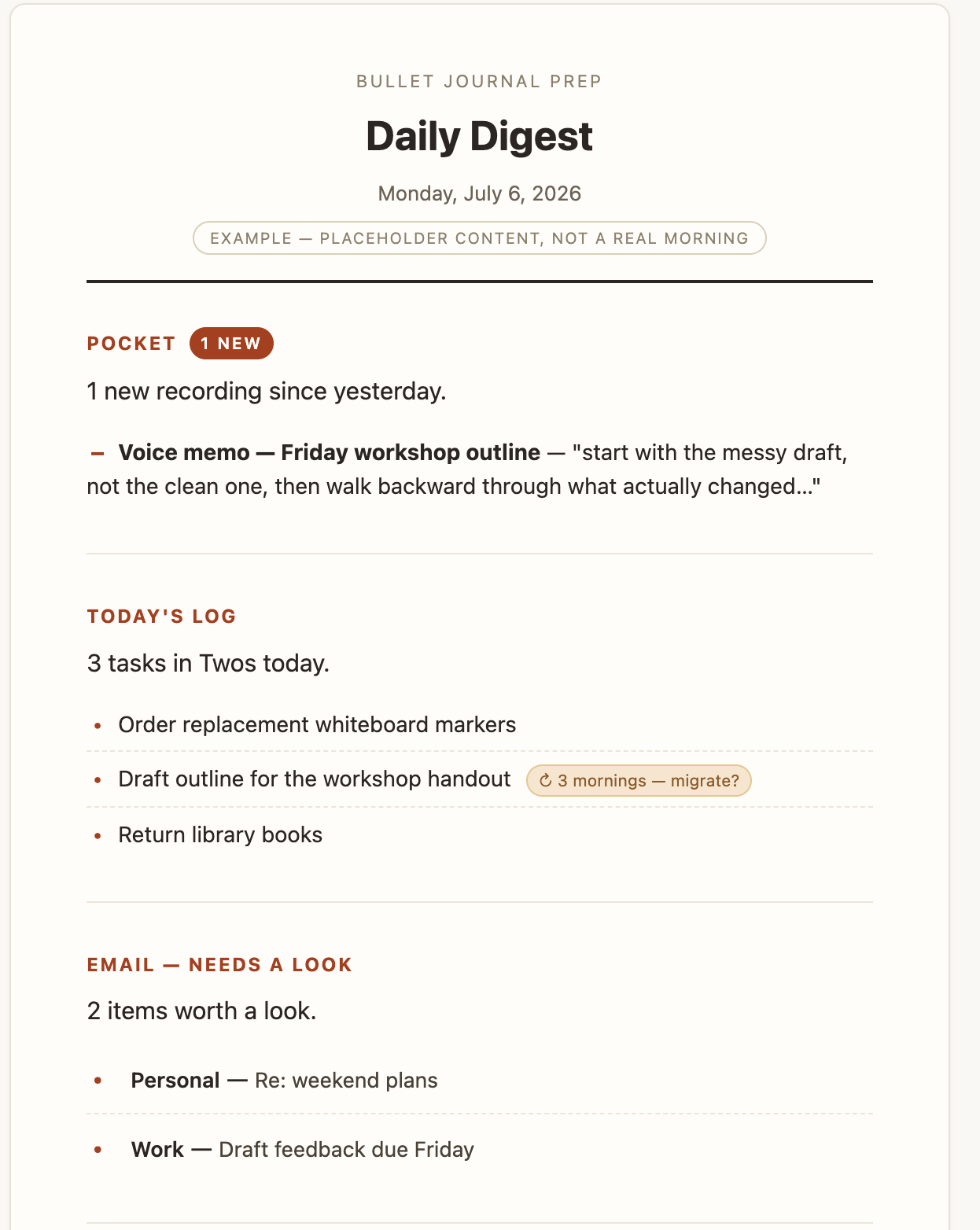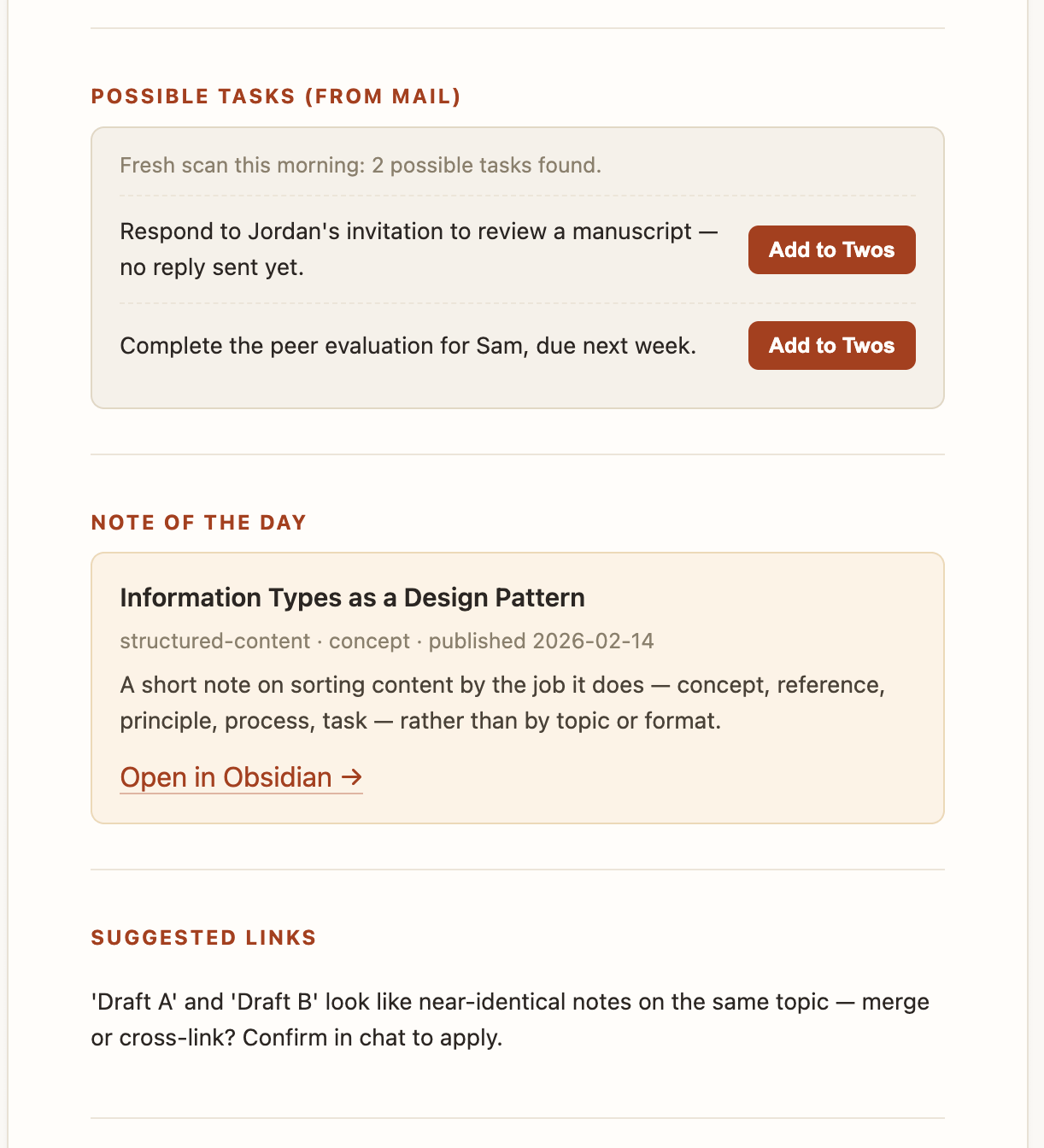

Draft a Claude scheduled task in one chat connected to your knowledge base, structured by information type (concept, reference, principle, process, task), then paste the finished prompt into the scheduler on Sonnet instead of a premium model. Helps save tokens and get more consistent outputs.
Anthropic gave everyone double usage for a while, mostly so people would go try Claude Fable.
I’ve hardly touched it.
I’ve spent the extra tokens building whole new workflows instead, ones that fit how I actually work rather than what a chat interface assumes I want.
For example, I went back to my bullet journal a few months ago, after concluding that AI had mostly failed me on task management. For those who don’t know, this is simply a structured approach to managing one’s life in a notebook.
So, yeah, I’m somewhat analog now. Digital capture is frictionless, and for a mind that already generates too many open loops, that can be dangerous. Everything gets captured, and nothing gets done. “AI will handle it” quietly becomes a way to avoid deciding what actually matters.
The bullet journal’s whole value is the opposite. Writing something down by hand is enough friction that you have to make a judgment call when you write things down.
So when I started thinking about where AI could actually help, I didn’t want something that writes in the journal for me or decides what belongs there. I wanted something that clears the noise before I sit down with it.
So I created a Claude task that builds a short digest telling me which open tasks are genuinely mine, making sure I’m looking at the right handful of things when I get there.
Building that meant writing my own task rather than adopting whatever some productivity app already ships.
A system built to fit how you actually think beats one built around someone else’s assumptions.
It turns out there’s a bonus, though ... I can build something that uses less tokens.
Where the tokens actually go
You can see details on this process in the video above, but here is the gist.
My first attempt used Claude’s task creation tool directly: describe what I want, watch it build, revise, revise again.
Opus and Fable are good at that kind of conversation, and that’s exactly the problem. A good model in an open-ended chat invites you to keep going.
I’d tweak a sentence, reconsider a rule, add an edge case I’d just thought of, and burn through a session just exploring.
The result wasn’t bad, but I was paying premium-model rates to have the same argument with myself six times.
Somewhere in that process I noticed that the actual task, the file the scheduler runs every morning, doesn’t need any of that back-and-forth once it’s written. It needs to be unambiguous.
A cheap model executes unambiguous instructions about as well as an expensive one does. The expensive model’s advantage only shows up while the instructions themselves are still being figured out.
In fact, I just tested out my task with Haiku … the cheapest model. It ran just fine!
Writing a task and running a task are two different jobs. Only one of them benefits from a better model.
The two-chat method
So I split the work into two separate conversations, and I’ve kept doing it since.
Open a clean chat connected to my knowledge base and think through what the task actually needs to do, using the same information types I use for everything else I write:
what it is (concept),
the facts it depends on (reference),
the rules that govern it (principle),
the steps it follows (process), and
The instruction to run it (task).
Once the task reads clean, copy the whole thing as markdown and paste it into the task creator, set to Sonnet (Or Haiku).
Let it run. If it needs revising, go back to the first chat, make the change there, and paste the update into the scheduler. The scheduler chat never does any thinking of its own.
Step one only works because there’s an actual knowledge base behind it. I’ve been rebuilding mine inside Claude’s Cowork, giving Claude direct read and write access to a real folder of structured notes instead of pasting context into a chat by hand.
More on that to come, for sure.
The task now costs less every time it runs, and I’ve stopped spending a bunch of tokens arguing with the AI.
What actually makes this work on a cheap model
It isn’t the model choice by itself. A vague task on Sonnet still produces vague results.
The information-type structure is what lets a cheaper model perform like a more expensive one. Every fact the task needs sits under reference, so nothing has to be inferred. Every rule sits under principle, stated once, not scattered across examples.
The process is a numbered sequence, not a paragraph the model has to parse for implied order. None of that requires reasoning. It just requires the model to follow what’s already been decided.
That’s the same argument I made three years ago in “Why You Shouldn’t Be Writing a New Prompt Every Time”. Prompts behave like content, and structured content travels better than content that’s merely well-intentioned.
Also, check how this works with skills (basically reusable prompts for agents) “A Skill Isn’t a Prompt. It’s Documentation.”
Scheduled tasks just make the cost of skipping that step visible, because you pay it every morning instead of once.
The worked example
Below is the actual task behind my bullet-journal refresh, cleaned up so you can see its shape: what counts as an “intention” in my system, and where the line sits between what the task writes and what it leaves alone.
I’ve swapped anything personal for generic placeholders. Your vault won’t have the same folder names or file paths, but the structure underneath will look the same no matter what you’re tracking.
The full task is below for paid subscribers, the same markdown I paste into the scheduler, every section still labeled by information type. Copy it, run it against your own morning routine, and tell me what you’d change.
I’m especially curious whether anyone’s already built something like this and what broke the first time they ran it.
Tools referenced
Twos — the notes and tasks app behind the “possible task” routing. twosapp.com (referral link — appreciate it if you use it)
Twos MCP — Twos has an official MCP server (setup walkthrough here) that connects it directly to Claude
Apple Mail MCP — Patrick Freyer’s apple-mail-mcp, the connector that gives Claude read, search, and compose access to Mail.app